网站http强制http方法
LAMP或者LNMP集成环境跳转:
首先在网站根目录下创建.htaccess文件,如果目录下已经有.htaccess文件,则用vi或者其他编辑器打开,在最下面添加写入如下语句即可
RewriteEngine onRewriteBase /RewriteCond %{SERVER_PORT} !^443$RewriteRule ^.*$ https://%{SERVER_NAME}%{REQUEST_URI} [L,R]RewriteEngine on
RewriteBase /
RewriteCond %{SERVER_PORT} !^443$
RewriteRule ^.*$ https://%{SERVER_NAME}%{REQUEST_URI} [L,R]RewriteEngine on
RewriteBase /
RewriteCond %{SERVER_PORT} !^443$
RewriteRule ^.*$ https://%{SERVER_NAME}%{REQUEST_URI} [L,R]
Apache服务器:
如果需要整站跳转,则在网站的配置文件的<Directory>标签内,键入以下内容:
RewriteEngine onRewriteCond %{SERVER_PORT} !^443$RewriteRule ^(.*)?$ https://%{SERVER_NAME}/$1 [L,R]RewriteEngine on
RewriteCond %{SERVER_PORT} !^443$
RewriteRule ^(.*)?$ https://%{SERVER_NAME}/$1 [L,R]RewriteEngine on
RewriteCond %{SERVER_PORT} !^443$
RewriteRule ^(.*)?$ https://%{SERVER_NAME}/$1 [L,R]
如果对某个目录做https强制跳转,则复制以下代码:
RewriteEngine onRewriteBase /yourfolderRewriteCond %{SERVER_PORT} !^443$#RewriteRule ^(.*)?$ https://%{SERVER_NAME}/$1 [L,R]RewriteRule ^.*$ https://%{SERVER_NAME}%{REQUEST_URI} [L,R]RewriteEngine on
RewriteBase /yourfolder
RewriteCond %{SERVER_PORT} !^443$
#RewriteRule ^(.*)?$ https://%{SERVER_NAME}/$1 [L,R]
RewriteRule ^.*$ https://%{SERVER_NAME}%{REQUEST_URI} [L,R]RewriteEngine on
RewriteBase /yourfolder
RewriteCond %{SERVER_PORT} !^443$
#RewriteRule ^(.*)?$ https://%{SERVER_NAME}/$1 [L,R]
RewriteRule ^.*$ https://%{SERVER_NAME}%{REQUEST_URI} [L,R]
Nginx服务器:
在配置80端口的文件里面,写入以下内容即可。
server {listen       80;server_name  localhost;rewrite ^(.*)$ https://$host$1 permanent;location / {root   <a target="_blank" href="https://123vo.cn/tag/31.html" title="View all posts in html">html</a>;index  index.html index.htm;}server {
listen       80;
server_name  localhost;
rewrite ^(.*)$ https://$host$1 permanent;
location / {
root   <a target="_blank" href="https://123vo.cn/tag/31.html" title="View all posts in html">html</a>;
index  index.html index.htm;
}server {
listen       80;
server_name  localhost;
rewrite ^(.*)$ https://$host$1 permanent;
location / {
root   html;
index  index.html index.htm;
}
JS跳转:
以下方法较适合指定某一个子页单独https,如果网页定义了top或者boot文件,可以在这个文件里面加入;
在需要强制为https的页面上加入以下代码进行处理http–>https
<script type="text/<a target="_blank" href="https://123vo.cn/tag/35.html" title="View all posts in javascript">javascript</a>">var url = window.location.href;if (url.indexOf("https") < 0) {url = url.replace("http:", "https:");window.location.replace(url);}</script><script type="text/<a target="_blank" href="https://123vo.cn/tag/35.html" title="View all posts in javascript">javascript</a>">
var url = window.location.href;
if (url.indexOf("https") < 0) {
url = url.replace("http:", "https:");
window.location.replace(url);
}
</script><script type="text/javascript">
var url = window.location.href;
if (url.indexOf("https") < 0) {
url = url.replace("http:", "https:");
window.location.replace(url);
}
</script>
PHP跳转:
添加在网站php页面内
<?phpif ($_SERVER["HTTPS"] <> "on"){$xredir = "https://".$_SERVER["SERVER_NAME"].$_SERVER["REQUEST_URI"];header("Location: ".$xredir);}?><?php if ($_SERVER["HTTPS"] <> "on") { $xredir = "https://".$_SERVER["SERVER_NAME"].$_SERVER["REQUEST_URI"]; header("Location: ".$xredir); } ?><?php if ($_SERVER["HTTPS"] <> "on") { $xredir = "https://".$_SERVER["SERVER_NAME"].$_SERVER["REQUEST_URI"]; header("Location: ".$xredir); } ?>
“网站http强制http方法” 的相关文章

(PC+WAP)微信小程序开发代理展示销售pbootcm网站模板 软件开发公司网站源码下载
pbootcms内核开发的网站模板,该模板适用于微信小程序网站、软件开发网站等企业,当然其他行业也可以做,只需要把文字图片换成其他行业的即可; PC+WAP,同一个后台,数据即时同步,简单适用!附带测试数据! 友好的seo,所有页面均都能完全自定义标题/关键词/描述,PHP程序,安全、稳定、快速;用低成本获取源源不断订单! 后台:域名/admin.php 账号:admin 密码:admin 模板特…
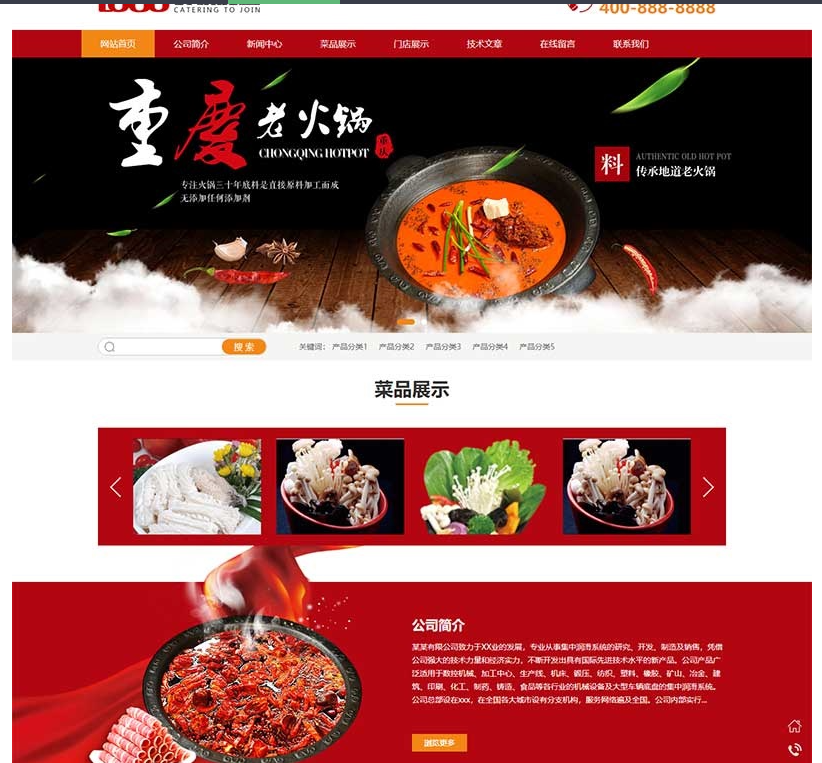
(PC+WAP)红色火锅加盟网站pbootcm模板 餐饮美食网站源码下载
(PC+WAP)红色火锅加盟网站pbootcms模板 餐饮美食网站源码下载pbootcms内核开发的网站模板,该模板适用于火锅加盟网站、餐饮美食网站等企业,当然其他行业也可以做,只需要把文字图片换成其他行业的即可;PC+WAP,同一个后台,数据即时同步,简单适用!附带测试数据!友好的seo,所有页面均都能完全自定义标题/关键词/描述,PHP程序,安全、稳定、快速;用低成本获取源源不断订单! 后台:…

(PC+WAP)绿色草坪地坪施工pbootcm网站模板 操场人造草坪网站源码下载
(PC+WAP)绿色草坪地坪施工pbootcms网站模板 操场人造草坪网站源码下载pbootcms内核开发的网站模板,该模板适用于人造草坪网站、草坪地坪网站等企业,当然其他行业也可以做,只需要把文字图片换成其他行业的即可;PC+WAP,同一个后台,数据即时同步,简单适用!附带测试数据!友好的seo,所有页面均都能完全自定义标题/关键词/描述,PHP程序,安全、稳定、快速;用低成本获取源源不断订单!…
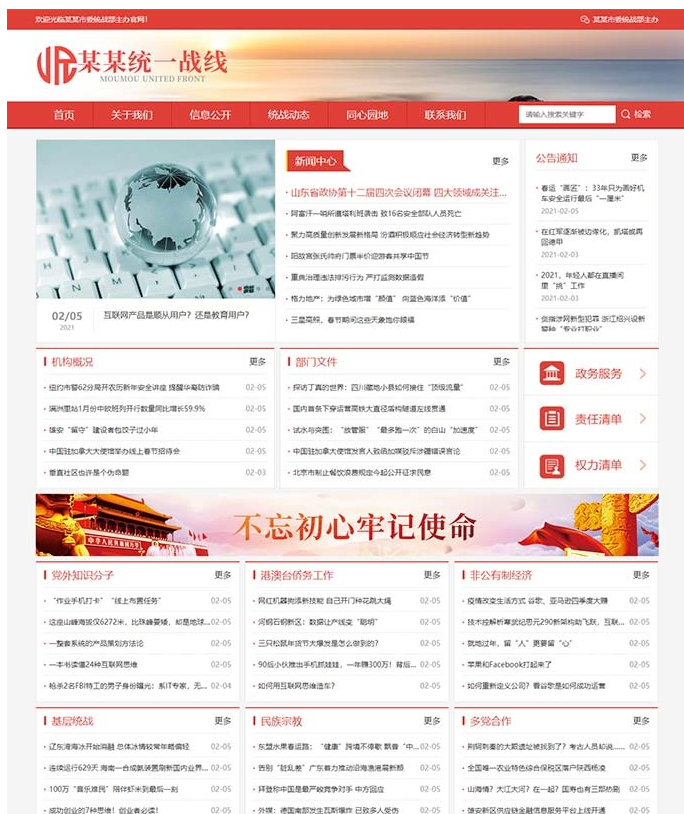
(自适应手机版)响应式统一战线政府单位机构类网站源码 红色政府部门机构网站模板
本套织梦模板采用织梦最新内核开发的模板,这款模板使用范围广,不仅仅局限于一类型的企业,政府部门、单位机构类的网站都可以用该模板。你只需要把图片和文章内容换成你的即可,颜色都可以修改,改完让你耳目一新的感觉!布局规整,利于用户体验,手工书写DIV+CSS,代码精简。 同一个后台管理 三网合一简单方便,体验好! 1、该模板代码干净整洁; 2、效果相当的炫酷,相当简洁大气高端,模板简单,全部已…

10月最新彩虹易支付系统源码更新 浪子易支付系统
10月最新彩虹易支付系统源码更新 浪子易支付系统 更新日志 1.更新了首页模板3套 1.新增邮件提醒功能,支持给用户发订单、结算等邮件通知 2.支持给管理员发送提现、域名审核等邮件通知 3.支持设置手续费最低扣除金额 4.修复了其他一些已知问题 2023/09/25: 1.新增支付宝红包支付插件 2.新增支付宝APP支付转H5支付 3.更新了几个支付插件 通过网盘分享的文件:10月最新彩虹易支付系…
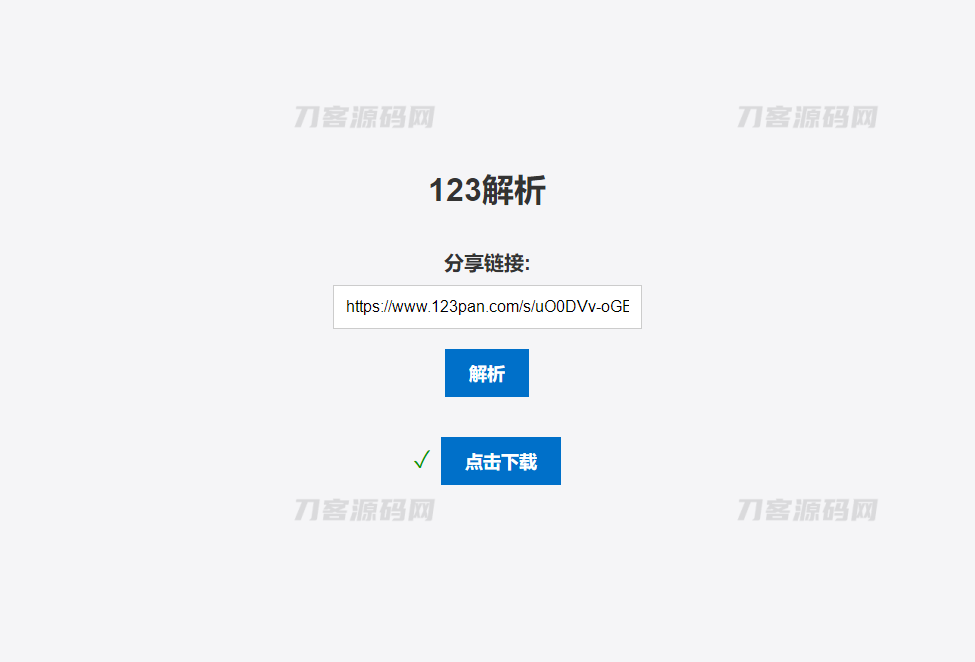
123网盘
简介:123网盘解析PHP版本源码是一种非常实用的工具,可以方便地帮助用户在网页上直接解析出其它网站中的资源,并提供下载链接。当用户需要获取某些资源时,往往需要通过各种搜索引擎或者专业的资源网站进行查找,而且很多时候找到了资源链接后还需要进行各种繁琐的操作才能完成下载。而使用 123网盘解析PHP版本源码,只需在相关网站上找到资源链接,然后粘贴到 123网盘解析PHP版本源码中进行解析,即可获得简…
