zblog实现分享文章至微博、微信、QQ空间的代码及添加教程
当下曾经热门的国内第三方社区化分享工具基本已经全部停止了服务,如百度分享,目前网站还能访问的似乎只有bshare了,但是也已经处在停止维护的状态,分享工具也几乎是不能正常使用的情况。那如果确实需要添加文章分享功能该怎么办呢?可以申请相关网站的api接口来开发,或者使用相关的URL分享链接自己添加,下面源码库整理的给Z-Blog文章添加新浪微博、QQ空间和微信的分享按钮代码的教程步骤。
PS:如果没有特点说明,下文中提到的“编辑主题”均指编辑网站当前正在使用的那个主题。
1、编辑主题的 post-single.php 文件(通用是这个文件,如果不是请在 single.php 查看调用的哪个),找到代码
{$article.Content}{$article.Content}{$article.Content}
在其代码上面或下面添加代码
<div id="social-share"><ul><li><a class="wb" href="javascript:void(0);" onclick="shareUrl(weibo);">微博</a></li><li><a class="wx" href="javascript:void(0);" onclick="shareUrl(weixin);">微信</a><div id="shareWX"><div id="qrcode"></div><div class="text"><p>使用微信扫码二维码</p><p>分享给好友或朋友圈</p></div></div></li><li><a class="qz" href="javascript:void(0);" onclick="shareUrl(qzone);">QQ空间</a></li></ul></div><div id="social-share"> <ul> <li> <a class="wb" href="javascript:void(0);" onclick="shareUrl(weibo);">微博</a> </li> <li> <a class="wx" href="javascript:void(0);" onclick="shareUrl(weixin);">微信</a> <div id="shareWX"> <div id="qrcode"></div> <div class="text"> <p>使用微信扫码二维码</p> <p>分享给好友或朋友圈</p> </div> </div> </li> <li> <a class="qz" href="javascript:void(0);" onclick="shareUrl(qzone);">QQ空间</a> </li> </ul> </div><div id="social-share"> <ul> <li> <a class="wb" href="javascript:void(0);" onclick="shareUrl(weibo);">微博</a> </li> <li> <a class="wx" href="javascript:void(0);" onclick="shareUrl(weixin);">微信</a> <div id="shareWX"> <div id="qrcode"></div> <div class="text"> <p>使用微信扫码二维码</p> <p>分享给好友或朋友圈</p> </div> </div> </li> <li> <a class="qz" href="javascript:void(0);" onclick="shareUrl(qzone);">QQ空间</a> </li> </ul> </div>
2、编辑主题的样式文件,通用是 style.css,在文本中另起一行,添加下面的代码
#social-share {padding:20px 0;}#social-share ul {display:flex; justify-content: center; margin:0; padding:0;}#social-share li {padding:0 10px; position:relative; margin:0; list-style: none;}#social-share a {display:block; width:30px; height:30px; background:no-repeat center center; background-size:contain; text-indent:-9999em; overflow: hidden;}#social-share .wx {background-image:url(images/social_weixin.png);}#social-share .qz {background-image:url(images/social_qzone.png);}#social-share .wb {background-image:url(images/social_weibo.png);}#social-share #shareWX {background-color: #fff; padding:8px; border:5px solid #666; width:130px; position:absolute; left:50%; bottom:100%; transform:translateX(-50%); margin-bottom: 10px; display: none;}#social-share #shareWX:after {content:; display:block; border-top:10px solid #666; border-left:8px solid transparent; border-right:8px solid transparent; position:absolute; left:50%; top:100%; transform:translateX(-50%);}#social-share #shareWX.show {display: block;}#social-share #qrcode {padding-bottom:100%; position:relative; margin-bottom:8px;}#social-share img {display:block; width:100%; height:100%; position:absolute; left:0; top:0;}#social-share .text {text-align:center; font-size:12px; color:#666; line-height: 1.5em;}#social-share {padding:20px 0;} #social-share ul {display:flex; justify-content: center; margin:0; padding:0;} #social-share li {padding:0 10px; position:relative; margin:0; list-style: none;} #social-share a {display:block; width:30px; height:30px; background:no-repeat center center; background-size:contain; text-indent:-9999em; overflow: hidden;} #social-share .wx {background-image:url(images/social_weixin.png);} #social-share .qz {background-image:url(images/social_qzone.png);} #social-share .wb {background-image:url(images/social_weibo.png);} #social-share #shareWX {background-color: #fff; padding:8px; border:5px solid #666; width:130px; position:absolute; left:50%; bottom:100%; transform:translateX(-50%); margin-bottom: 10px; display: none;} #social-share #shareWX:after {content:; display:block; border-top:10px solid #666; border-left:8px solid transparent; border-right:8px solid transparent; position:absolute; left:50%; top:100%; transform:translateX(-50%);} #social-share #shareWX.show {display: block;} #social-share #qrcode {padding-bottom:100%; position:relative; margin-bottom:8px;} #social-share img {display:block; width:100%; height:100%; position:absolute; left:0; top:0;} #social-share .text {text-align:center; font-size:12px; color:#666; line-height: 1.5em;}#social-share {padding:20px 0;} #social-share ul {display:flex; justify-content: center; margin:0; padding:0;} #social-share li {padding:0 10px; position:relative; margin:0; list-style: none;} #social-share a {display:block; width:30px; height:30px; background:no-repeat center center; background-size:contain; text-indent:-9999em; overflow: hidden;} #social-share .wx {background-image:url(images/social_weixin.png);} #social-share .qz {background-image:url(images/social_qzone.png);} #social-share .wb {background-image:url(images/social_weibo.png);} #social-share #shareWX {background-color: #fff; padding:8px; border:5px solid #666; width:130px; position:absolute; left:50%; bottom:100%; transform:translateX(-50%); margin-bottom: 10px; display: none;} #social-share #shareWX:after {content:; display:block; border-top:10px solid #666; border-left:8px solid transparent; border-right:8px solid transparent; position:absolute; left:50%; top:100%; transform:translateX(-50%);} #social-share #shareWX.show {display: block;} #social-share #qrcode {padding-bottom:100%; position:relative; margin-bottom:8px;} #social-share img {display:block; width:100%; height:100%; position:absolute; left:0; top:0;} #social-share .text {text-align:center; font-size:12px; color:#666; line-height: 1.5em;}
PS:social_weixin.png、social_qzone.png、social_weibo.png三个是对应微信、QQ空间、微博的图标图片,源码库不提供,可以在 iconfont网站上找来下载,然后上传到主题的style/images/目录
3、在下面的网址中下载用于生成文章二维码的js插件 qrcode.min.js
https://github.com/davidshimjs/qrcodejs
PS:不限于这款插件,也可以使用能生成二维码的其它js插件,把步骤 3 中的 new QRCode 方法换成其它插件的即可。
3、编辑主题的 footer.php 文件,在 </body> 上面添加下面的代码
{if $type == article}<script src="{$host}zb_users/theme/{$theme}/scripts/qrcode.min.js"></script><script type="text/javascript">function shareUrl(social){var _title = encodeURIComponent(document.title);var _url = document.location;var _pic = document.getElementsByTagName(img)[0].src;if(social == qzone){var _shareUrl = https://sns.qzone.<a target="_blank" href="https://123vo.cn/tag/451.html" title="View all posts in qq">qq</a>.com/cgi-bin/qzshare/cgi_qzshare_onekey?url= + _url + &title= + _title + &pics= + _pic + &summary=&desc=;window.open(_shareUrl,_blank);}else if(social == weibo){var _shareUrl = https://service.weibo.com/share/share.php?url= + _url + &title= + _title + &pic= + _pic;window.open(_shareUrl,_blank);}else if(social == weixin){if(document.getElementById(shareWX).className == ){document.getElementById(shareWX).className = show;new QRCode(document.getElementById(qrcode), {$article->Url});}else{document.getElementById(shareWX).className = ;}}}</script>{/if}{if $type == article} <script src="{$host}zb_users/theme/{$theme}/scripts/qrcode.min.js"></script> <script type="text/javascript"> function shareUrl(social){ var _title = encodeURIComponent(document.title); var _url = document.location; var _pic = document.getElementsByTagName(img)[0].src; if(social == qzone){ var _shareUrl = https://sns.qzone.<a target="_blank" href="https://123vo.cn/tag/451.html" title="View all posts in qq">qq</a>.com/cgi-bin/qzshare/cgi_qzshare_onekey?url= + _url + &title= + _title + &pics= + _pic + &summary=&desc=; window.open(_shareUrl,_blank); }else if(social == weibo){ var _shareUrl = https://service.weibo.com/share/share.php?url= + _url + &title= + _title + &pic= + _pic; window.open(_shareUrl,_blank); }else if(social == weixin){ if(document.getElementById(shareWX).className == ){ document.getElementById(shareWX).className = show; new QRCode(document.getElementById(qrcode), {$article->Url}); }else{ document.getElementById(shareWX).className = ; } } } </script> {/if}{if $type == article} <script src="{$host}zb_users/theme/{$theme}/scripts/qrcode.min.js"></script> <script type="text/javascript"> function shareUrl(social){ var _title = encodeURIComponent(document.title); var _url = document.location; var _pic = document.getElementsByTagName(img)[0].src; if(social == qzone){ var _shareUrl = https://sns.qzone.qq.com/cgi-bin/qzshare/cgi_qzshare_onekey?url= + _url + &title= + _title + &pics= + _pic + &summary=&desc=; window.open(_shareUrl,_blank); }else if(social == weibo){ var _shareUrl = https://service.weibo.com/share/share.php?url= + _url + &title= + _title + &pic= + _pic; window.open(_shareUrl,_blank); }else if(social == weixin){ if(document.getElementById(shareWX).className == ){ document.getElementById(shareWX).className = show; new QRCode(document.getElementById(qrcode), {$article->Url}); }else{ document.getElementById(shareWX).className = ; } } } </script> {/if}
保存文件后,进入网站后台首页,点击“清空缓存并重新编译模板”后,打开网站文章就有分享按钮了。
“zblog实现分享文章至微博、微信、QQ空间的代码及添加教程” 的相关文章
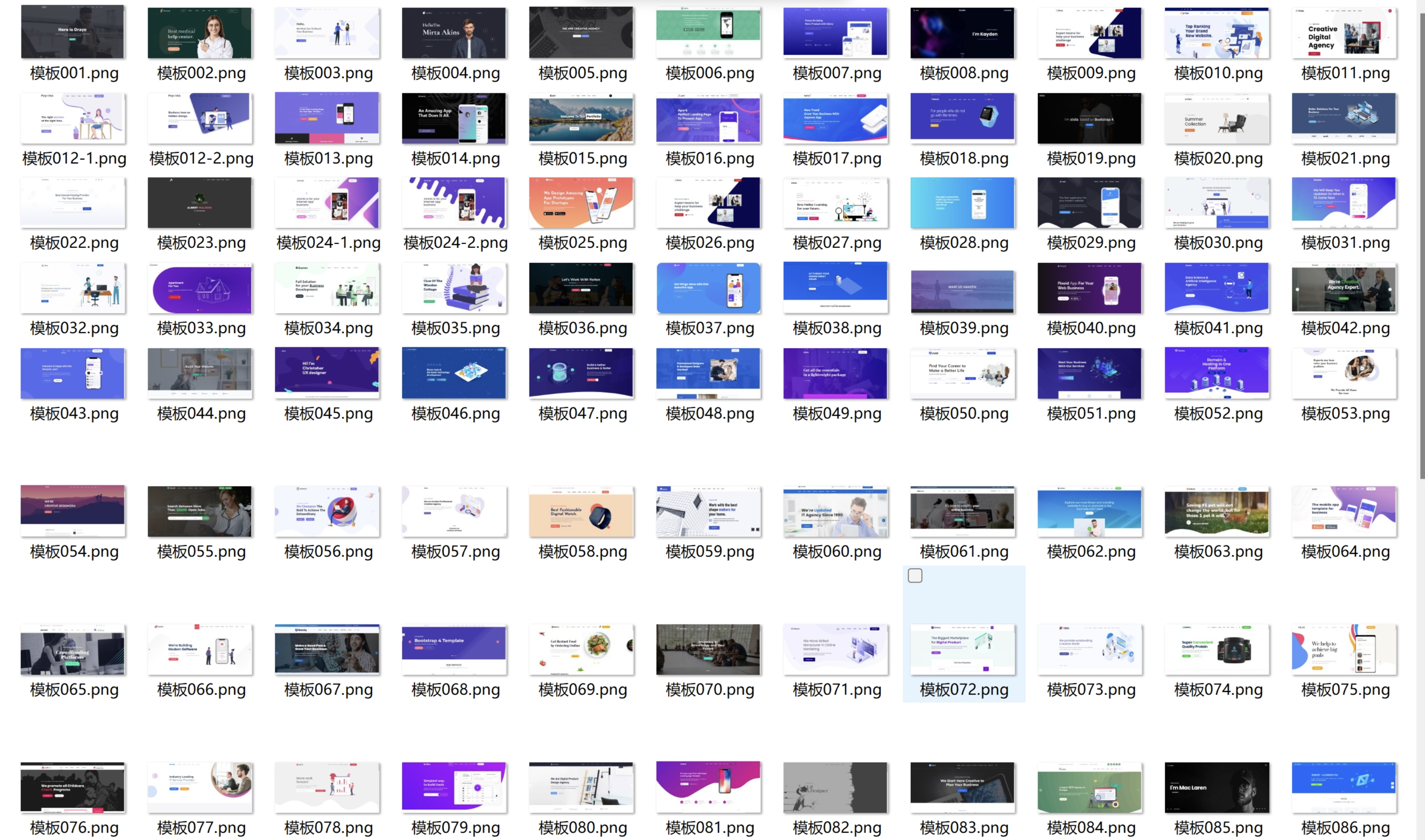
100+套官网HTML源码 前端静态页面源码
104套官网源码静态html页面APP下载页面HTML源码,多年收藏精品HTML官网源码104套所有行业均可修改使用。人工精选源码每一套都是精品,纯静态页面无后台…
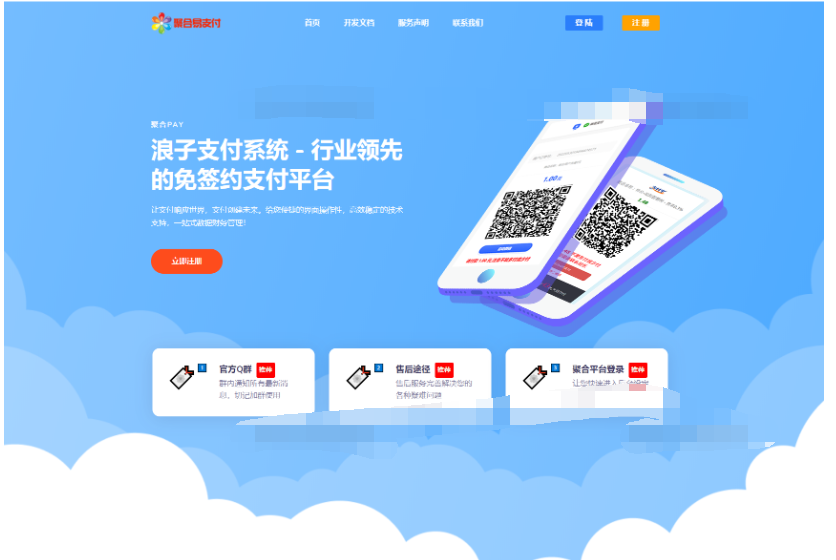
10月最新彩虹易支付系统源码更新 浪子易支付系统
10月最新彩虹易支付系统源码更新 浪子易支付系统 更新日志 1.更新了首页模板3套 1.新增邮件提醒功能,支持给用户发订单、结算等邮件通知 2.支持给管理员发送提现、域名审核等邮件通知 3.支持设置手续费最低扣除金额 4.修复了其他一些已知问题 2023/09/25: 1.新增支付宝红包支付插件 2.新增支付宝APP支付转H5支付 3.更新了几个支付插件 通过网盘分享的文件:10月最新彩虹易支付系…

11周精通python计划(完结)
11周精通python计划(完结)此内容为付费资源,请付费后查看¥38 限时特惠¥138黄金会员免费钻石会员免费登录购买…
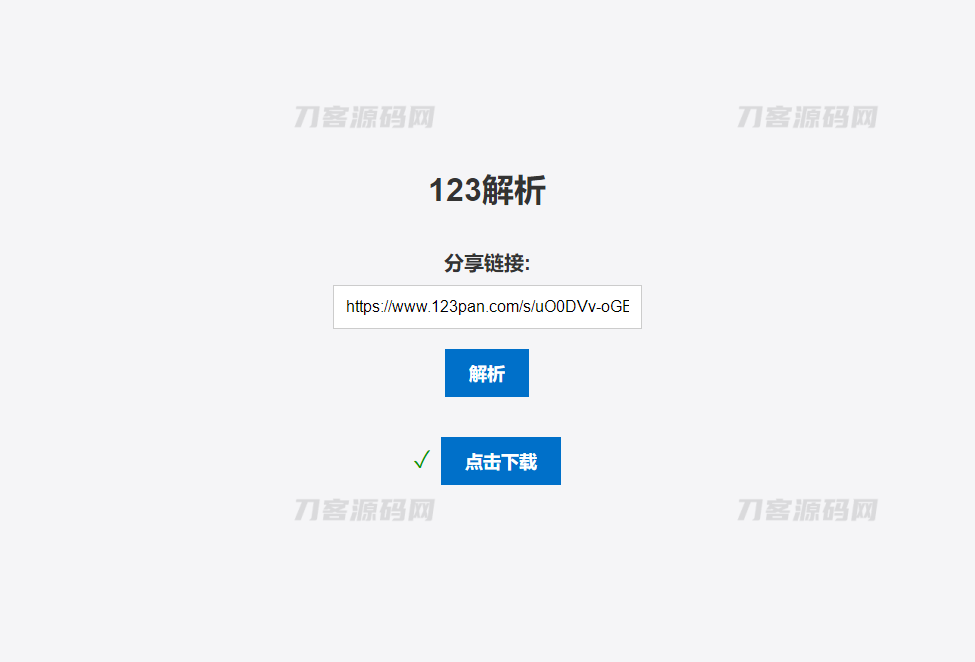
123网盘
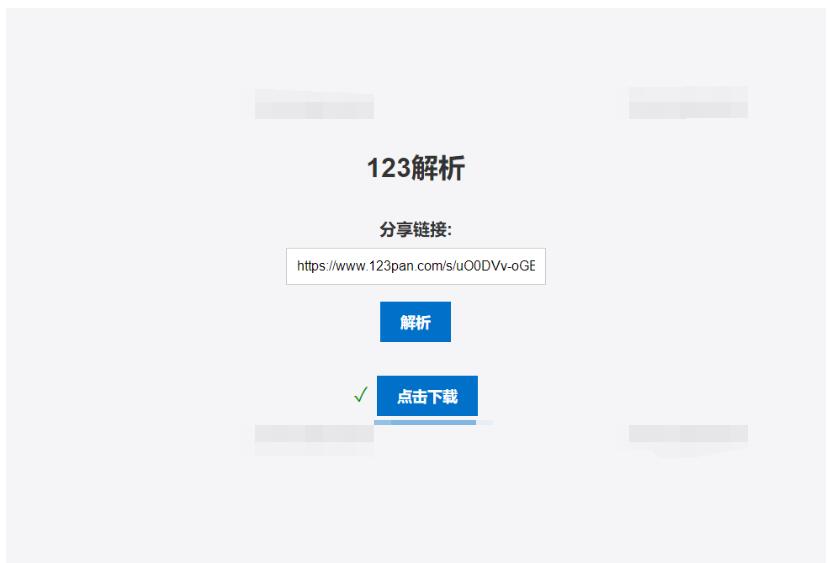
简介:123网盘解析PHP版本源码是一种非常实用的工具,可以方便地帮助用户在网页上直接解析出其它网站中的资源,并提供下载链接。当用户需要获取某些资源时,往往需要通过各种搜索引擎或者专业的资源网站进行查找,而且很多时候找到了资源链接后还需要进行各种繁琐的操作才能完成下载。而使用 123网盘解析PHP版本源码,只需在相关网站上找到资源链接,然后粘贴到 123网盘解析PHP版本源码中进行解析,即可获得简…
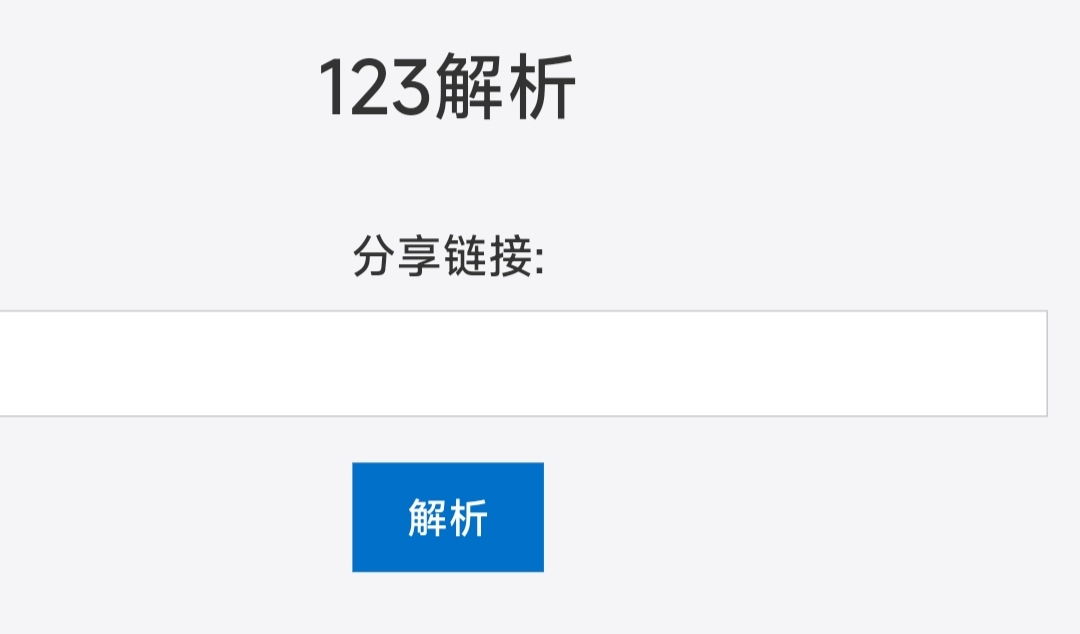
123网盘在线解析PHP版单页源码
源码介绍: 123网盘解析PHP版本源码是一种非常实用的工具,可以方便地帮助用户在网页上直接解析出其它网站中的资源,并提供下载链接。当用户需要获取某些资源时,往往需要通过各种搜索引擎或者专业的资源网站进行查找,而且很多时候找到了资源链接后还需要进行各种繁琐的操作才能完成下载。而使用 123网盘解析PHP版本源码,只需在相关网站上找到资源链接,然后粘贴到 123网盘解析PHP版本源码中进行解析,即可…
123网盘在线解析PHP版源码
123网盘解析PHP版本源码是一种非常实用的工具,可以方便地帮助用户在网页上直接解析出其它网站中的资源,并提供下载链接。当用户需要获取某些资源时,往往需要通过各种搜索引擎或者专业的资源网站进行查找,而且很多时候找到了资源链接后还需要进行各种繁琐的操作才能完成下载。而使用 123网盘解析PHP版本源码,只需在相关网站上找到资源链接,然后粘贴到 123网盘解析PHP版本源码中进行解析,即可获…
